
Roblox Piano Practice Online
Loading piano...
Practice Guide
Quick guide on how to use the online piano practice tool.
What is this?
This tool allows you to practice playing virtual piano sheets directly in your browser. It simulates a piano keyboard and helps you learn the notes and rhythm before playing in Roblox.
How to Practice Online
Use your computer keyboard or mouse to play the virtual piano keys directly. As the sheet music plays, the corresponding keys on the virtual piano will light up to help you follow along. You can also copy the sheet code to use directly in Roblox.
Discover Sheets
Random Shuffle: Click the Shuffle button in the center of the top control bar to instantly load a random new song without reloading the page.
Search: Click the Search button next to Shuffle to open the search window. Type a song title or artist name to quickly find and switch to the sheet you want to practice.
Playback Controls
- Play/Pause: Start or stop playback.
- 1xSpeed: Adjust tempo (0.5x - 2.0x).
- KTranspose: Shift the pitch up or down.
- SSustain: Toggle sustain pedal effect.
Easy Mode

Easy
Fur Elise
Beethoven

Easy
Pimp Hoe
Mike Sherm

Easy
Sleeping City Funk
Emotional Recycling Bin

Easy
LET ME SEE YA MOVE!
Lumi Athena

Easy
Mockingbird
Eminem

Easy
Immortal
Playboi Carti

Easy
If You Love These People (Man of Steel)
Hans Zimmer

Easy
Cupid (Twin Version)
Fifty Fifty

Easy
Mist
EsDeeKid

Easy
Where You Lead
Carole King
Normal Mode
Hard Mode
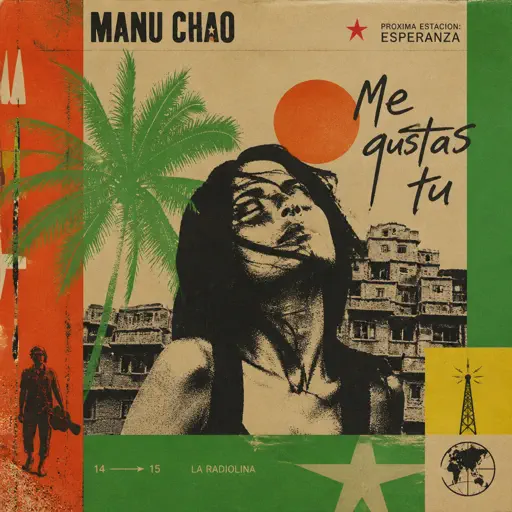
Hard
Me Gustas Tu
Manu Chao

Hard
Kawaikute Gomen
HoneyWorks
Hard
Oops!...I Did It Again
Britney Spears
Hard
La vaguelette さざ波- Genshin Impact
HOYO-MiX
Hard
Mrs Magic
Strawberry Guy
Hard
White Star Line March
Clifford Putnam
Hard
Debito di Sonno (Mafioso Chase Theme)
Forsaken
Hard
Merry-Go-Round of Life - from 'Howl's Moving Castle'
Joe Hisaishi
Hard
Time Is Tearing Us Apart - Until Then OST
Kyle Patrick Naval
Hard
Still D.R.E.
Dr. Dre
Recommended Sheets

I will - Ao Haru Ride
Chelsy
Normal
Clocks
Coldplay
Normal
Oscillation - Deepwoken OST
Naktigonis
Normal
Oceans & Engines
NIKI
Hard
BIRDS OF A FEATHER
Billie Eilish
Normal
Dracula
Tame Impala
Hard
Jingle Bells
James Lord Pierpont
Normal
Where'd All the Time Go?
Dr. Dog
Hard
LOVELY BASTARDS
ZWE1HVNDXR
Normal
Axel F
Crazy Frog
Normal
Smooth Operator
Sade
Normal
Nearer My God to Thee - Titanic's Last Scene
Titanic Orchestra
Normal
au revoir
Malice Mizer
Hard
Polaroid Love
ENHYPEN
Normal
The Real Slim Shady
Eminem
Hard
Blue
Yung Kai
Normal
Van Gogh
Virginio Aiello
Normal
Dandelions
Ruth B.
Hard
Locked out of Heaven
Bruno Mars
Hard
Moonlight Sonata 3rd Mvt.
Beethoven
NormalFrequently Asked Questions
What is Roblox Piano Practice Online?
This is a free online tool that lets you practice Roblox virtual piano sheets in your browser. No downloads required - just pick a song and start practicing.
How do I use this online practice tool?
1. Select a song from the recommendations or use the search function. 2. Click play and the sheet will auto-scroll with highlighted notes. 3. Watch the virtual piano keyboard for highlighted keys and practice along. 4. Use speed control to slow down playback - perfect for beginners.
Can I play using my keyboard?
Yes! The virtual piano supports computer keyboard input. The keys correspond to the standard Roblox piano layout (1234567890qwerty...). You can practice on your keyboard while following the sheet.
What does the Transpose feature do?
Transpose raises or lowers the pitch of the sheet. Some Roblox piano games have different default tunings, so transpose helps match the correct pitch. Usually adjusting by +12 or -12 semitones works.
Does this tool work on mobile?
Yes, but desktop provides the best experience. On mobile you can view the sheet and virtual piano demo, but keyboard input requires a computer. We recommend using a desktop for the best practice experience.
How do I find sheets suitable for my level?
Below you'll find recommendations sorted by difficulty: Easy for beginners, Normal for intermediate players, and Hard/Expert for advanced challenges. You can also use the search function to find songs by title or artist.