
Roblox Piano Practice Online
Loading piano...
Practice Guide
Quick guide on how to use the online piano practice tool.
What is this?
This tool allows you to practice playing virtual piano sheets directly in your browser. It simulates a piano keyboard and helps you learn the notes and rhythm before playing in Roblox.
How to Practice Online
Use your computer keyboard or mouse to play the virtual piano keys directly. As the sheet music plays, the corresponding keys on the virtual piano will light up to help you follow along. You can also copy the sheet code to use directly in Roblox.
Discover Sheets
Random Shuffle: Click the Shuffle button in the center of the top control bar to instantly load a random new song without reloading the page.
Search: Click the Search button next to Shuffle to open the search window. Type a song title or artist name to quickly find and switch to the sheet you want to practice.
Playback Controls
- Play/Pause: Start or stop playback.
- 1xSpeed: Adjust tempo (0.5x - 2.0x).
- KTranspose: Shift the pitch up or down.
- SSustain: Toggle sustain pedal effect.
Easy Mode

Easy
Gravity Falls Main Title Theme
Brad Breeck

Easy
Pimp Hoe
Mike Sherm

Easy
Sleeping City Funk
Emotional Recycling Bin

Easy
LET ME SEE YA MOVE!
Lumi Athena

Easy
Where You Lead
Carole King

Easy
Mist
EsDeeKid

Easy
Cupid (Twin Version)
Fifty Fifty

Easy
Harvey
Alex G

Easy
If You Love These People (Man of Steel)
Hans Zimmer

Easy
Balcony
Cave Story
Normal Mode
Normal
Bertaut
Nadin Amizah
Normal
Children (Vinland Saga Edit)
Robert Miles

Normal
Brainrot Rap
Party Tunes
Normal
Aruarian Dance
Nujabes
Normal
High School Sweethearts
Melanie Martinez
Normal
Vết Mưa
Vũ Cát Tường
Normal
Hotel - Undertale
Toby Fox

Normal
undercover
Baby Smoove
Normal
This Is Me
Keala Settle
Normal
Homestuck Terezi's Theme
CopacetiCat
Recommended Sheets
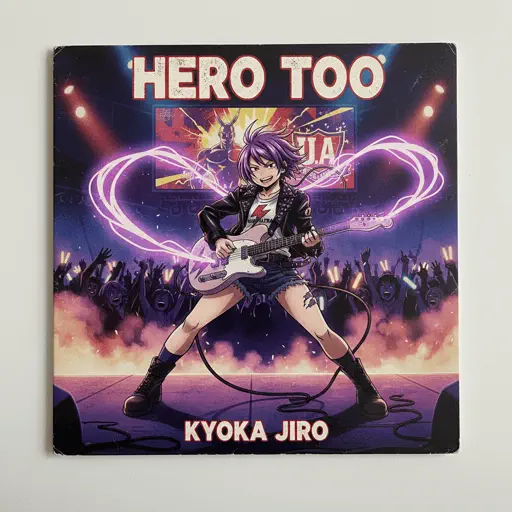
Hero too
Kyoka Jiro
NormalMist
EsDeeKid
Easy
Erika
German soldier song
Normal
Die Moldau
Bedřich Smetana
Normal
Treehouse
Alex G
Normal
Gojo Satoru - The Honored One
Jujutsu Kaisen
Normal
CandyCookieChocolate
Hatsune Miku
Hard
The Water Magician OST - Main Theme
The Water Magician
Normal
Kid Cudi
Playboi Carti
Normal
Je te laisserai des mots
Patrick Watson
Normal
ROXANNE
Arizona Zervas
Normal
Wildfire - Star Rail - Of Snow and Ember
HOYO-MiX
Normal
Wife
Mitski
Normal
La Maritza x White Blossoms
Valentino Coleman
Normal
Blue Tequila
Táo
Normal
You've Been Trolled
Antony Cannon
Hard
Paroles… paroles…
Dalida
NormalAruarian Dance
Nujabes
Normal
Akari (燈) - Jujutsu Kaisen Season 2
Soushi Sakiyama
Normal
Congratulations
Mac Miller
HardFrequently Asked Questions
What is Roblox Piano Practice Online?
This is a free online tool that lets you practice Roblox virtual piano sheets in your browser. No downloads required - just pick a song and start practicing.
How do I use this online practice tool?
1. Select a song from the recommendations or use the search function. 2. Click play and the sheet will auto-scroll with highlighted notes. 3. Watch the virtual piano keyboard for highlighted keys and practice along. 4. Use speed control to slow down playback - perfect for beginners.
Can I play using my keyboard?
Yes! The virtual piano supports computer keyboard input. The keys correspond to the standard Roblox piano layout (1234567890qwerty...). You can practice on your keyboard while following the sheet.
What does the Transpose feature do?
Transpose raises or lowers the pitch of the sheet. Some Roblox piano games have different default tunings, so transpose helps match the correct pitch. Usually adjusting by +12 or -12 semitones works.
Does this tool work on mobile?
Yes, but desktop provides the best experience. On mobile you can view the sheet and virtual piano demo, but keyboard input requires a computer. We recommend using a desktop for the best practice experience.
How do I find sheets suitable for my level?
Below you'll find recommendations sorted by difficulty: Easy for beginners, Normal for intermediate players, and Hard/Expert for advanced challenges. You can also use the search function to find songs by title or artist.